August has been an unusually busy month for Kiri Kiri Basara, not only because of everything surrounding the release of Steins;Gate RE:BOOT, but also behind the scenes on the website.
Over the past few weeks, we have rolled out several improvements across KKB, including a redesigned Community account dashboard, a new Activity section, and our biggest addition yet: interactive progress tracking for KKB guides.
Here is everything that has changed.
Interactive Guide Tracking Comes to KKB
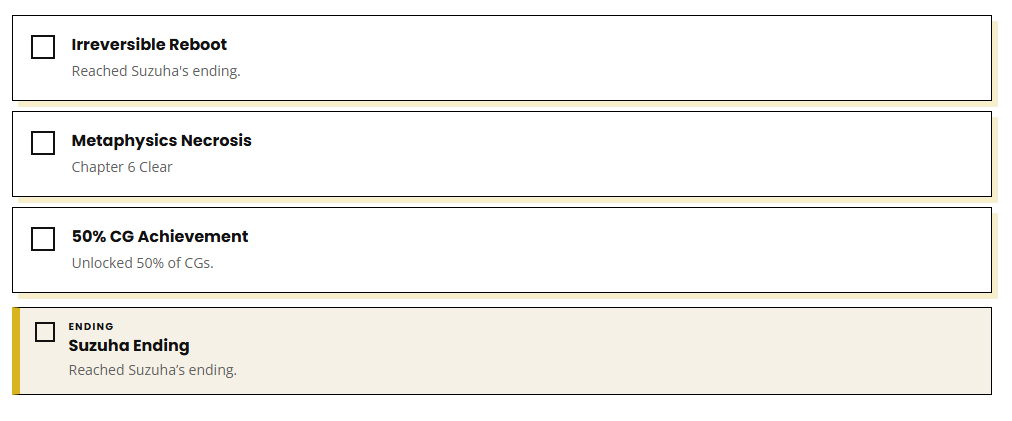
The biggest update this month is the introduction of interactive progress tracking for supported KKB guides. Signed-in KKB Community members can now mark achievements, endings, and important story milestones as completed directly while following a guide.
Your progress is saved to your KKB Community account and synchronized across devices, meaning you can start following a guide on one device and continue from the same point somewhere else. A new “Continue Where You Left Off” option also takes you directly back to your most recently completed checkpoint.
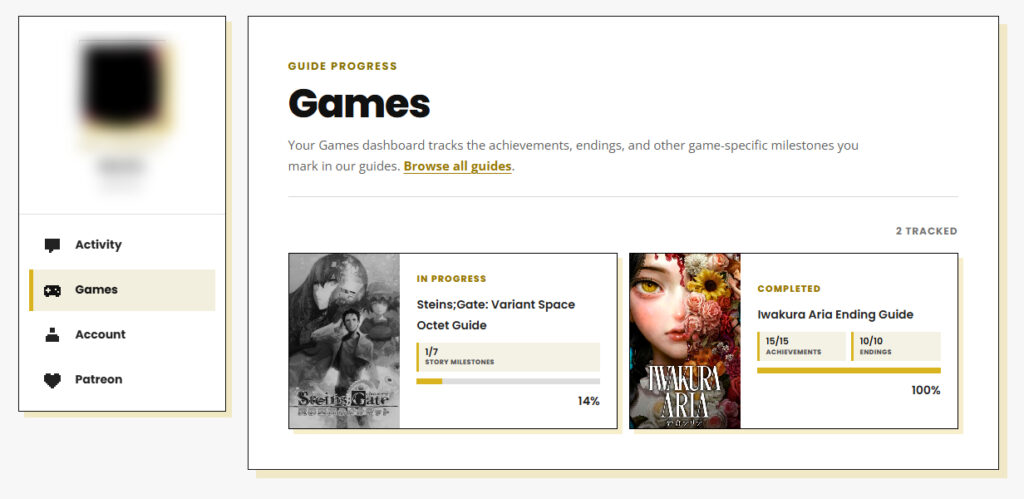
Supported games appear in the “Games” section of your Community dashboard, where you can see which guides you are currently following and which games you have completed. Game cover artwork is displayed in black and white while a guide is still in progress, before changing to full color once every tracked milestone has been completed. Achievements, endings, and story-related checkpoints also use distinct designs throughout each guide, making it easier to tell them apart at a glance.
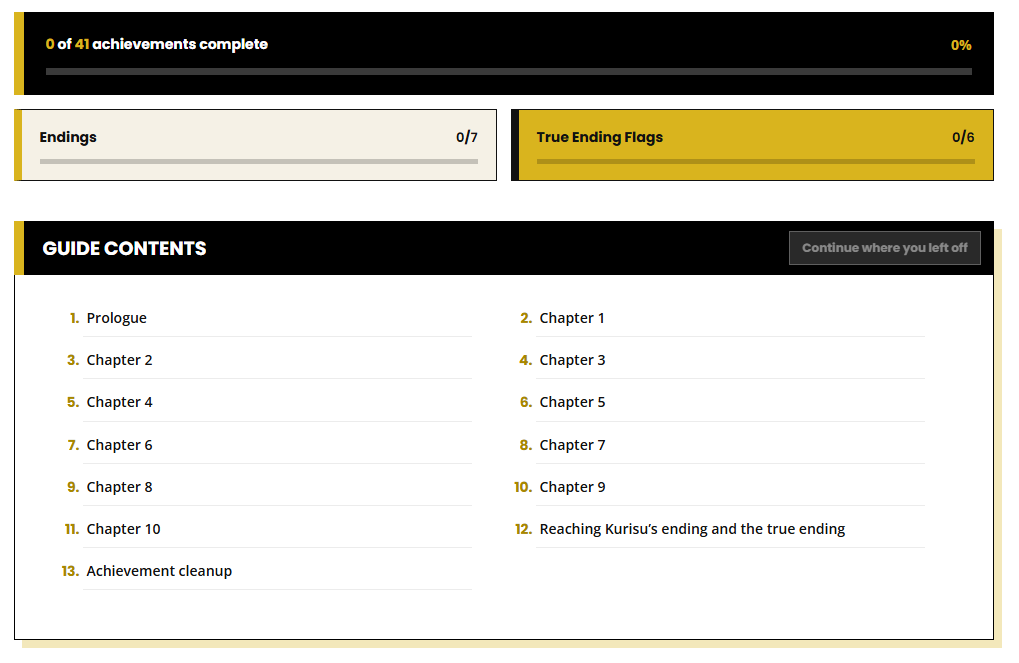
The feature launched alongside our Steins;Gate RE:BOOT 100% Guide, which tracks all 41 achievements, seven endings, and six True Ending flags. Support is now gradually being rolled out to our existing guides and now includes: Steins;Gate, Steins;Gate Elite, Steins;Gate 0, 8-BIT ADV Steins;Gate, Steins;Gate: Variant Space Octet, Anonymous;Code and Iwakura Aria.
KKB Community Dashboard Redesigned
The KKB Community account page has also received a complete redesign.
Instead of displaying everything together on a single page, the dashboard is now divided into dedicated Account, Games, Patreon, and Activity sections. Switching between sections happens instantly without requiring a full page reload.
The Account section brings together profile settings, profile-picture management, password and security options, and account deletion.
The Games section is home to the new guide-tracking system and provides an overview of all supported games you are currently playing or have completed.
The Patreon section displays your membership matching status, whether your Patron badge is active, and a preview of how your badge appears around KKB.
We have also improved navigation for mobile devices and keyboard users, and individual dashboard sections can now be accessed through direct links for easier bookmarking.
New Activity Section
Community members now have access to a private Activity dashboard as well.
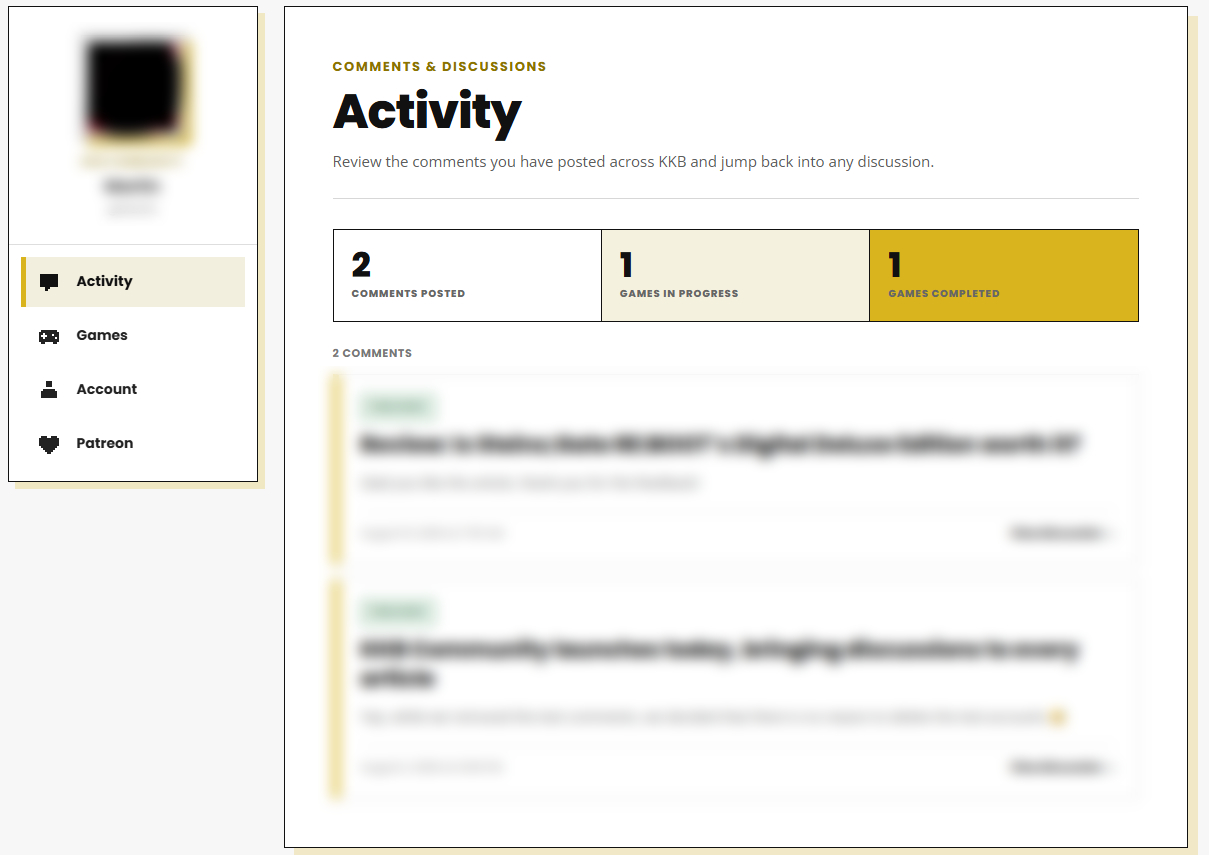
The page provides an overview of your activity across KKB, including the number of published comments, games currently in progress, and completed games. Below that, you can browse a chronological history of your approved comments.
Each entry includes the related article, a short preview of the comment, its publication date and time, any applicable spoiler warning, and a direct link back to the original discussion. Comments are displayed ten at a time with seamless pagination, so browsing through your history does not require reloading the entire account page. The Activity section is completely private and can only be viewed by the signed-in account owner.
Other KKB Improvements
Alongside the larger Community additions, we have made several smaller improvements around the website:
- Article cards now display the number of comments each article has received, making active discussions easier to spot.
- We have also fixed several layout issues on the homepage and corrected an issue with the Guides page filter that could cause scheduled, unpublished guides to appear in results.
- The Articles page has received some organizational improvements as well. Robotics;Notes DaSH and Steins;Gate 0 are now nested underneath their respective main title categories, making the filter list easier to navigate.
- Finally, we have added a dedicated Interview category to the Articles page, providing a new home for our developer, localization, and industry interviews.
What’s Next
KKB Community only launched at the beginning of August, so these updates represent the first major expansion of what we want to build around it. Our immediate focus will be continuing to add progress tracking to more of our existing guides while improving the Community experience based on how readers use it.
If you encounter any problems with the new features—or simply have an idea for something you would like to see added—feel free to let us know. And if you have not created a KKB Community account yet, registration is free and gives you access to article discussions, guide progress tracking, activity history, and the rest of the Community features available across the site.
Thank you, as always, for reading and supporting Kiri Kiri Basara.




KKB Community
1 comment
awesome! 😀